If you need to easily set-up and maintain a local server environment on your Mac then look no further than MAMP. MAMP comes with Apache, MySQL and PHP and provides a local server environment independent of that installed as default on macOS. And it’s free.
However, out-of-the-box you’re limited to a single local host. This can prove inconvenient when developing multiple sites each requiring their own local host. The most convenient and cost effective way to overcome this limitation is to use virtual hosts.
So, how are virtual hosts configured under MAMP? There is a Pro version of MAMP which allows easy configuration of virtual hosts but, unlike it’s baby brother, it’s not free. The only real alternative is to get your hands dirty and configure virtual hosts manually. This is not as difficult as it may sound and can be accomplished fairly easily.
As an example I’m going to configure a virtual host for a site that has a root directory of /Users/steve/Sites/mysite1 containing a simple index file and I’ll name the virtual host local.mysite1.
<!DOCTYPE html>
<html lang="en">
<head>
	<meta charset="utf-8">
	<title>Index.html</title>
	<!-- <link rel="stylesheet" href="style.css"> -->
	<!-- <script src="script.js"></script> -->
</head>
<body>
	<p>This is the contents of /Users/steve/Sites/mysite1/index.html</p>
</body>
</html>
index.html in the directory /Users/steve/Sites/mysite1
I’m going to detail four similar methods of configuring this virtual host all of which accomplish the same thing. Which method you decide upon is really a matter of personal choice but, whichever you choose you’ll first need to edit your Mac’s hosts file and then decide how you want to configure the default virtual host.
1. Editing The hosts File
Your Mac’s hosts file is hidden and located in the /private/etc directory. The easiest way to edit this file is by using an editor such as nano from the command line in Terminal.
Open Terminal and type:
sudo nano /private/etc/hosts
Press ↵. You’ll be prompted for your admin password. Your hosts file should resemble something similar to this:
##
# Host Database
#
# localhost is used to configure the loopback interface
# when the system is booting.  Do not change this entry.
##
127.0.0.1       localhost
255.255.255.255 broadcasthost
::1             localhost
Type alt + / to go to the end of the file. We need to add a line for each virtual host we want to configure. The comment line beginning # is optional.
# Virtual Hosts
127.0.0.1 local.mysite1
The file should now resemble this:
##
# Host Database
#
# localhost is used to configure the loopback interface
# when the system is booting.  Do not change this entry.
##
127.0.0.1       localhost
255.255.255.255 broadcasthost
::1             localhost

# Virtual Hosts
127.0.0.1 local.mysite1
Type control + o then ↵ to save the file, then control + x to exit nano.
2. Handling http Requests For localhost
In a vanilla installation of MAMP without any virtual host configurations, Apache serves http requests for localhost from the directory defined in Preferences… > Web Server > Document Root. By default this is /Applications/MAMP/htdocs. Once a virtual host has been configured this behaviour changes. Now when Apache receives an http request in the form of a url it attempts to locate the matching virtual host configuration. If it’s unable to locate this configuration it uses the first virtual host configuration it finds. To restore the original default behaviour we need to ensure the first virtual host configuration is configured as the default.
# 000-default [default virtual host configuration]
<VirtualHost *>
	ServerName localhost
	DirectoryIndex index.html index.htm index.php
	DocumentRoot "/Applications/MAMP/htdocs"
	<Directory "/Applications/MAMP/htdocs">
		Options Indexes FollowSymLinks Includes execCGI
		AllowOverride None
		Order Allow,Deny
		Allow From All
	</Directory>
</VirtualHost>
A default virtual host configured to serve requests from the directory /Applications/MAMP/htdocs
If you want files served from another location simply change the DocumentRoot and Directory directives. This doesn’t have to be within the /Applications/MAMP directory.
# 000-default [default virtual host configuration]
<VirtualHost *>
	ServerName localhost
	DirectoryIndex index.html index.htm index.php
	DocumentRoot "/Users/steve/Sites/000-default"
	<Directory "/Users/steve/Sites/000-default">
		Options Indexes FollowSymLinks Includes execCGI
		AllowOverride None
		Order Allow,Deny
		Allow From All
	</Directory>
</VirtualHost>
A default virtual host configured to serve requests from the directory /Users/steve/Sites/000-default
Remember to place a valid index file – as defined by the DirectoryIndex directive – in this directory otherwise Apache will display the directory’s contents. This is also true when using /Applications/MAMP/htdocs as by default it doesn’t contain a valid index file.
To serve the same page – index.php – as is served when clicking Open WebStart page in MAMP use the following:
# 000-default [default virtual host configuration]
<VirtualHost *>
	ServerName localhost
	DirectoryIndex index.html index.htm index.php
	DocumentRoot "/Applications/MAMP/bin/mamp"
	<Directory "/Applications/MAMP/bin/mamp">
		Options Indexes FollowSymLinks Includes execCGI
		AllowOverride None
		Order Allow,Deny
		Allow From All
	</Directory>
</VirtualHost>
A default virtual host configured to serve requests from the directory /Applications/MAMP/bin/mamp
So far we’ve added the name of a virtual host – local.mysite1 – to the /private/etc/hosts file and looked at how we might want to handle http requests for localhost. Next we’re going to configure the default virtual host and the virtual host for local.mysite1 using one of the following methods.
METHOD 1 – Add virtual host configurations to the existing Applications/MAMP/conf/apache/httpd.conf configuration file.
METHOD 2 – Add virtual host configurations to the existing Applications/MAMP/conf/apache/extra/httpd-vhosts.conf configuration file.
METHOD 3 – Add virtual host configurations to a new configuration file outside of the Applications/MAMP directory.
METHOD 4 – Create a new directory outside of the Applications/MAMP directory and populate it with individual virtual host configuration files.
To edit or create these files we can use any text editor such as Atom, BBEdit or TextEdit.
3.1 METHOD 1
Add virtual host configurations to /Applications/MAMP/conf/apache/httpd.conf
Open the file /Applications/MAMP/conf/apache/httpd.conf and navigate to the end.
#
# Uncomment the next line if Apache should not accept SSLv3 connections, to learn more google for "POODLE SSLv3".
# SSLProtocol All -SSLv2 -SSLv3
</IfModule>
At the end of the file add the following:
# Virtual Host Configurations

NameVirtualHost *
Next, add the configuration for the default virtual host. I’ve decided to use MAMP’s WebStart page.
# 000-default [default virtual host configuration]
<VirtualHost *>
	ServerName localhost
	DirectoryIndex index.html index.htm index.php
	DocumentRoot "/Applications/MAMP/bin/mamp"
	<Directory "/Applications/MAMP/bin/mamp">
		Options -Indexes FollowSymLinks Includes +execCGI
		AllowOverride None
		Order Allow,Deny
		Allow From All
	</Directory>
</VirtualHost>
Finally, add the virtual host configuration for local.mysite1.
# local.mysite1
<VirtualHost *>
	ServerName local.mysite1
	DirectoryIndex index.html index.htm index.php
	DocumentRoot "/Users/steve/Sites/mysite1"
	<Directory "/Users/steve/Sites/mysite1">
		Options Indexes FollowSymLinks Includes execCGI
		AllowOverride All
		Order Allow,Deny
		Allow From All
	</Directory>
</VirtualHost>
Save and close /Applications/MAMP/conf/apache/httpd.conf.
3.2 METHOD 2
Add virtual host configurations to /Applications/MAMP/conf/apache/extra/httpd-vhosts.conf
Open the file /Applications/MAMP/conf/apache/httpd.conf and navigate to the end.
#
# Uncomment the next line if Apache should not accept SSLv3 connections, to learn more google for "POODLE SSLv3".
# SSLProtocol All -SSLv2 -SSLv3
</IfModule>
At the end of the file add the following:
# Virtual Host Configurations

NameVirtualHost *

Include /Applications/MAMP/conf/apache/extra/httpd-vhosts.conf
Unlike method 1 – where virtual hosts are configured in /Applications/MAMP/conf/apache/httpd.conf – in method 2 an Include statement points to another file that will hold the virtual host configurations.
Save and close /Applications/MAMP/conf/apache/httpd.conf.
Open the file /Applications/MAMP/conf/apache/extra/httpd-vhosts.conf and delete all of the current content.
Next, add the configuration for the default virtual host. As with method 1, I’ve decided to use MAMP’s WebStart page.
# 000-default [default virtual host configuration]
<VirtualHost *>
	ServerName localhost
	DirectoryIndex index.html index.htm index.php
	DocumentRoot "/Applications/MAMP/bin/mamp"
	<Directory "/Applications/MAMP/bin/mamp">
		Options -Indexes FollowSymLinks Includes +execCGI
		AllowOverride None
		Order Allow,Deny
		Allow From All
	</Directory>
</VirtualHost>
Finally, add the virtual host configuration for local.mysite1.
# local.mysite1
<VirtualHost *>
	ServerName local.mysite1
	DirectoryIndex index.html index.htm index.php
	DocumentRoot "/Users/steve/Sites/mysite1"
	<Directory "/Users/steve/Sites/mysite1">
		Options Indexes FollowSymLinks Includes execCGI
		AllowOverride All
		Order Allow,Deny
		Allow From All
	</Directory>
</VirtualHost>
Save and close /Applications/MAMP/conf/apache/extra/httpd-vhosts.conf.
3.3 METHOD 3
Add virtual host configurations to a new configuration file outside of the /Applications/MAMP directory
This method is virtually identical to method 2. However, unlike method 2 – where virtual hosts are configured in /Applications/MAMP/conf/apache/extra/httpd-vhosts.conf – in method 3 virtual hosts are going to be configured in a new configuration file outside of the /Applications/MAMP directory. I’ve chosen /Users/steve/Dropbox/httpd-vhosts.conf.
Open the file /Applications/MAMP/conf/apache/httpd.conf and navigate to the end.
#
# Uncomment the next line if Apache should not accept SSLv3 connections, to learn more google for "POODLE SSLv3".
# SSLProtocol All -SSLv2 -SSLv3
</IfModule>
At the end of the file add the following:
# Virtual Host Configurations

NameVirtualHost *

Include /Users/steve/Dropbox/httpd-vhosts.conf
Save and close /Applications/MAMP/conf/apache/httpd.conf.
Open a new empty file.
Add the configuration for the default virtual host. As in the previous methods I’ve decided to use MAMP’s WebStart page.
# 000-default [default virtual host configuration]
<VirtualHost *>
	ServerName localhost
	DirectoryIndex index.html index.htm index.php
	DocumentRoot "/Applications/MAMP/bin/mamp"
	<Directory "/Applications/MAMP/bin/mamp">
		Options -Indexes FollowSymLinks Includes +execCGI
		AllowOverride None
		Order Allow,Deny
		Allow From All
	</Directory>
</VirtualHost>
Finally, add the virtual host configuration for local.mysite1
# local.mysite1
<VirtualHost *>
	ServerName local.mysite1
	DirectoryIndex index.html index.htm index.php
	DocumentRoot "/Users/steve/Sites/mysite1"
	<Directory "/Users/steve/Sites/mysite1">
		Options Indexes FollowSymLinks Includes execCGI
		AllowOverride All
		Order Allow,Deny
		Allow From All
	</Directory>
</VirtualHost>
Save and close the file using the same directory path and file name as specified in the Include statement. In my example: /Users/steve/Dropbox/httpd-vhosts.conf.
3.4 METHOD 4
Create a new directory outside of the /Applications/MAMP directory and populate it with individual virtual host configuration files
As the heading suggests we’re first going to create a new directory outside of the /Applications/MAMP directory. I’ve chosen /Users/steve/Dropbox/vhosts. Each virtual host configuration will have its own individual configuration file placed in this new directory.
We’re going to start in the same way as in the previous 3 methods.
Open the file /Applications/MAMP/conf/apache/httpd.conf and navigate to the end.
#
# Uncomment the next line if Apache should not accept SSLv3 connections, to learn more google for "POODLE SSLv3".
# SSLProtocol All -SSLv2 -SSLv3
</IfModule>
At the end of the file add the following:
# Virtual Host Configurations

NameVirtualHost *

Include /Users/steve/Dropbox/vhosts/*.conf
Unlike in methods 2 and 3 where we’re including a single file, here we’re including all of the .conf files that’ll be placed in the /Users/steve/Dropbox/vhosts directory.
Save and close /Applications/MAMP/conf/apache/httpd.conf.
Open a new blank file.
Add the configuration for the default virtual host. As in the previous methods I’ve decided to use MAMP’s WebStart page.
# 000-default [default virtual host configuration]
<VirtualHost *>
	ServerName localhost
	DocumentRoot "/Applications/MAMP/bin/mamp"
	<Directory "/Applications/MAMP/bin/mamp">
		Options -Indexes FollowSymLinks Includes +execCGI
		AllowOverride None
		Order Allow,Deny
		Allow From All
	</Directory>
</VirtualHost>
Save this file as 000-default.conf in the same directory as specified in the Include statement. In my example: /Users/steve/Dropbox/vhosts.
Next, open another new blank file.
Add the virtual host configuration for local.mysite1
# local.mysite1
<VirtualHost *>
	ServerName local.mysite1
	DirectoryIndex index.html index.htm index.php
	DocumentRoot "/Users/steve/Sites/mysite1"
	<Directory "/Users/steve/Sites/mysite1">
		Options Indexes FollowSymLinks Includes execCGI
		AllowOverride All
		Order Allow,Deny
		Allow From All
	</Directory>
</VirtualHost>
Save this file as local.mysite.conf in the same directory as specified in the Include statement. In my example: /Users/steve/Dropbox/vhosts.
Testing The Virtual Host Configurations
Having created the virtual host configurations, check the syntax by opening Terminal and typing:
sudo /Applications/MAMP/Library/bin/apachectl -S
This will parse the configuration files and show any syntax errors or if there are none, the virtual host configurations:
VirtualHost configuration:
wildcard NameVirtualHosts and _default_ servers:
*:*                    is a NameVirtualHost
	     default server 000-default (/Users/steve/Dropbox/vhosts/000-default.conf:2)
	     port * namevhost 000-default (/Users/steve/Dropbox/vhosts/000-default.conf:2)
	     port * namevhost local.mysite1 (/Users/steve/Dropbox/vhosts/local.mysite1.conf:2)
Syntax OK
If there are no syntax errors, reload the configuration files for MAMP’s Apache in Terminal by typing:
sudo /Applications/MAMP/Library/bin/apachectl -k graceful
Finally, open the newly-configured sites in a browser using http://localhost and http://local.mysite1.
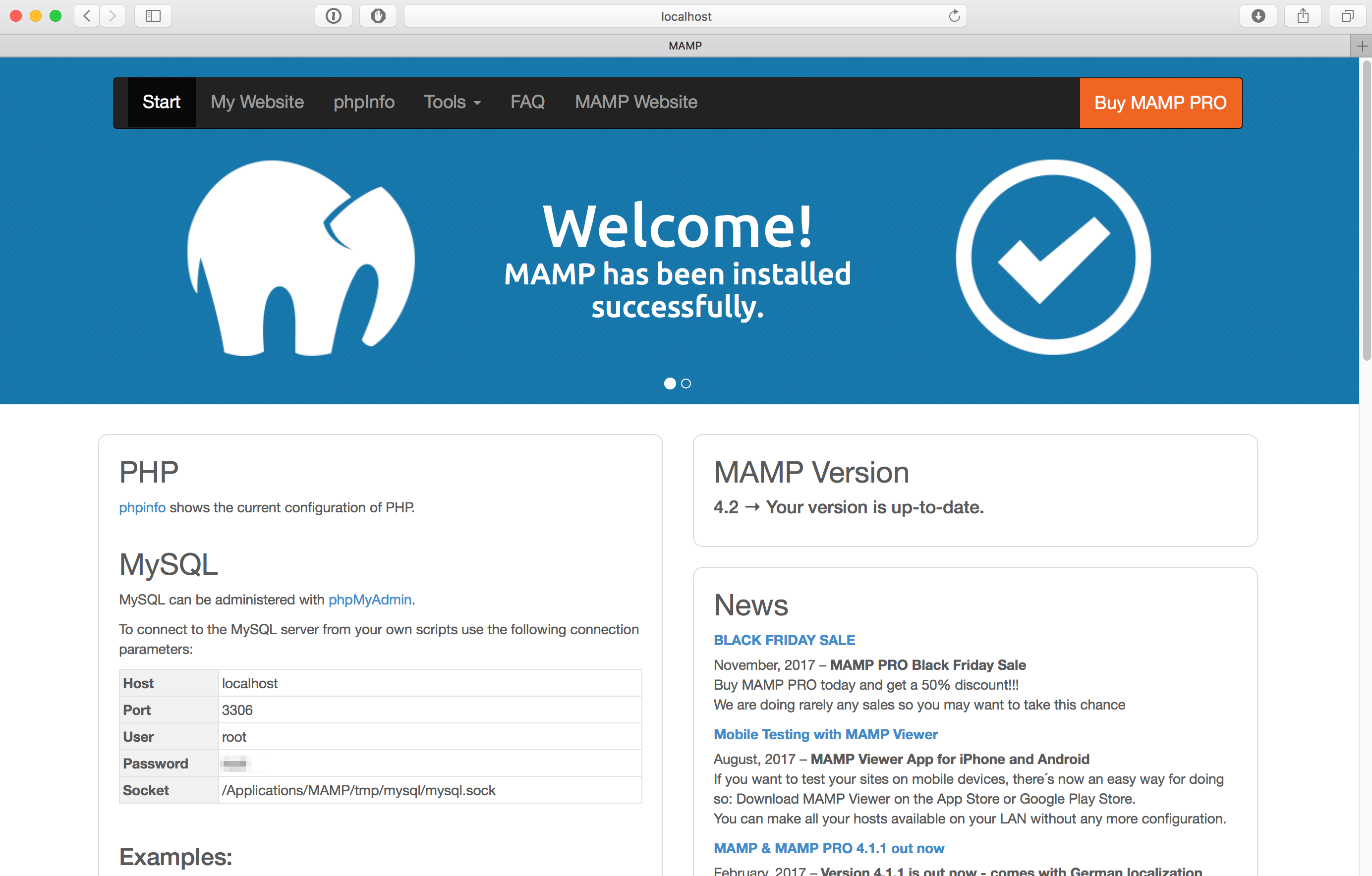
http://localhost in a browser window
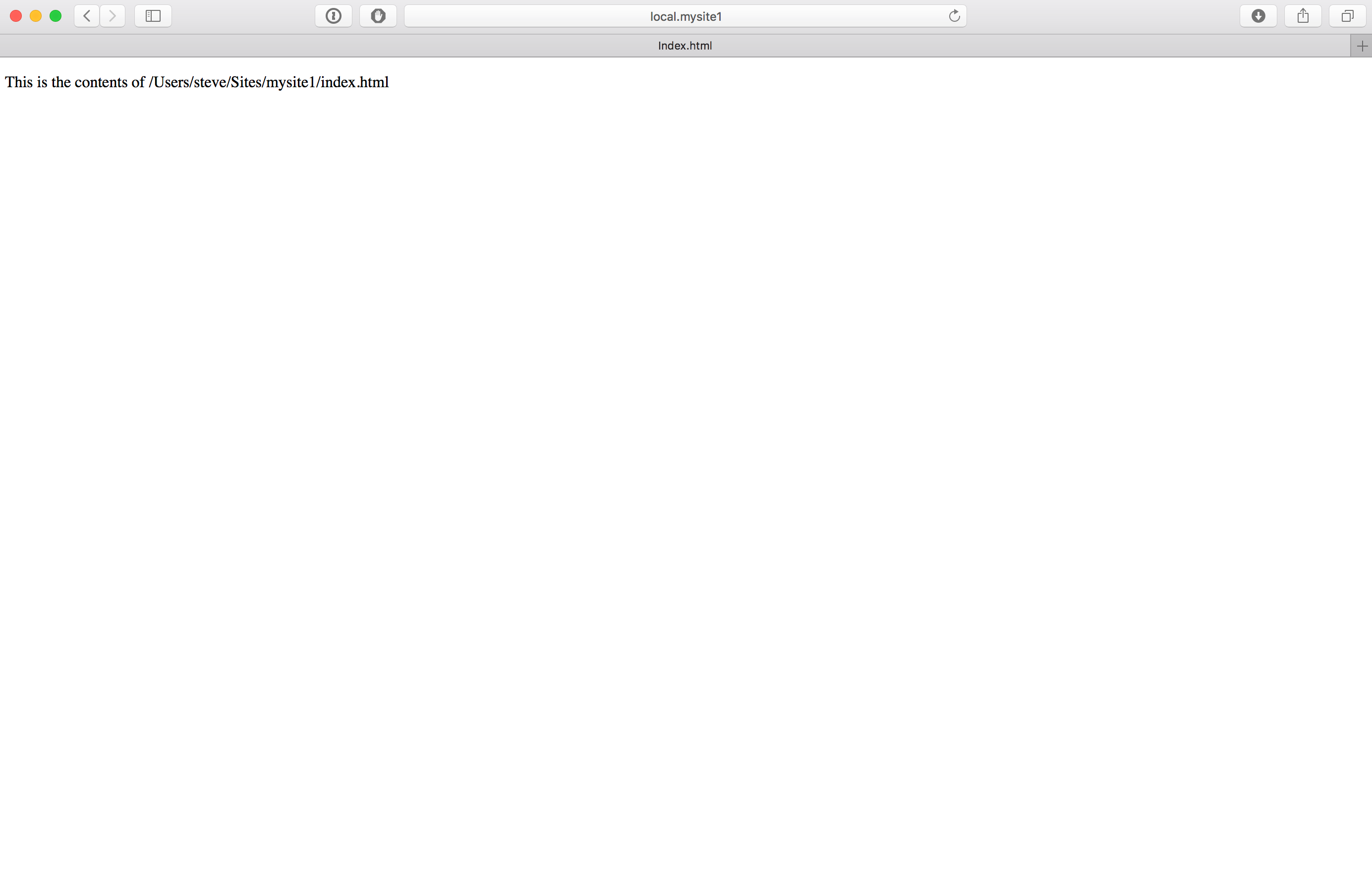
http://local.mysite1 in a browser window

Hi. Thanks for the guidance, very detailed.
I’ve done all the steps but finally got:
sudo /Applications/MAMP/Library/bin/apachectl -k graceful
httpd not running, trying to start
And nothing seems to work as desired.
Googling this isn’t fruitful. Please, help. I’m kind of a dummy in this, just need my localhost site to work properly so I can try the design of my banners there. I’m not a bit of a sysadmin.
Thanks!
@Eugenia,
1. Run sudo /Applications/MAMP/Library/bin/apachectl -S to confirm Apache knows about your new virtual hosts. If they’re not shown, Apache isn’t reading the virtual host configuration files.
2. Run sudo /Applications/MAMP/Library/bin/apachectl -t to check Apache’s configuration. This should alert you to any problems.
3. Start MAMP’s Apache server by clicking Start in the MAMP application.
4. If you enter the URL of your virtual host in a browser and nothing happens, check Apache’s error log at /Applications/MAMP/logs/apache_error.log for clues.
Regards, Steve.
Hi Steve!
Thank you so much for the answer, detailed as needed. But I still have no luck 🙁
I did steps 1,2,3,4 – everything’s clear:
mbp-evgenia:enshop20 jane$ sudo /Applications/MAMP/Library/bin/apachectl -S
VirtualHost configuration:
wildcard NameVirtualHosts and _default_ servers:
*:* is a NameVirtualHost
default server localhost (/Applications/MAMP/conf/apache/extra/httpd-vhosts.conf:29)
port * namevhost localhost (/Applications/MAMP/conf/apache/extra/httpd-vhosts.conf:29)
port * namevhost enshop20 (/Applications/MAMP/conf/apache/extra/httpd-vhosts.conf:42)
Syntax OK
mbp-evgenia:enshop20 jane$ sudo /Applications/MAMP/Library/bin/apachectl -t
Syntax OK
mbp-evgenia:enshop20 jane$
apache_error.log is clear. But still, I can only reach my local site at http://localhost:8888/enshop20/ and my base-related URLs are not working.
As I understand, in the case of a successful virtual host setup I would be able to see my site at http://enshop20/ and URLs like href=”/smth/” would be resolved as http://enshop20/smth/.
Do I think right? Anything else you can recommend me to try?
Thanks!
@Eugenia
You have MAMP’s Apache listening on port 8888. Your browser sends http requests to port 80 by default, unless you tell it otherwise. That’s why http://localhost:8888/enshop20/ works. If you have configured a virtual host whose ServerName is enshop20, then the URL is http://enshop20:8888. If you change the port Apache is listening to 80 in MAMP’s preferences, then http://enshop20 will work.
Regards, Steve.
Interested in purchasing this theme. Could you tell me how I would get rid of the footer and just have Contact Us, News and maybe Recent posts and how would I have the slider so that I could put text on the left hand side and picture on right. I have no experience with wordpress. Thanks in advance
Hi ann,
You’d do better contacting the developers.
Good luck, Steve.
BINGO!
Works great w/ MAMP 1.9.4 on Mac 10.6.6. Thank you SO much!
The one thing I’d add is that in the hosts file, if you’re working w/ multiple sites add them on the same line w/ a comma, so:
127.0.0.1 local.mysite1 local.site2 local.site99
(At least that’s what worked for me)
Thanks again!
Also, I just noticed that you’re in Japan… Hope you’re safe, and your family and friends are well. Wising you and your neighbors strength, health and good fortune.
SlowX,
Glad you’ve got it working and thank you for your kind words.
Regards, Steve
Thanks!
So many sites just talking about the single-site install.
Is this method vary with different versions of OSX?
I’m on 10.6.
Also, any thoughts on MAMP vs XAMP on a Mac?
Thanks!
SlowX,
Is this method vary with different versions of OSX?
I’m on 10.6….
I’ve used it on 10.5 and 10.6 though it probably has as much to do with the version of MAMP as that of the OS.
Also, any thoughts on MAMP vs XAMP on a Mac?…
I switched to XAMPP for Mac a couple of years back as at the time MAMP hadn’t been updated for a long time. I now use either one or the other on the Macs I have and IMHO there’s not much between them.
Regards, Steve.
I’ve spent what seems like a frustrated eternity trawling through various posts attempting to work out how to install multiple local testing sites with MAMP. This is by far the best post and the code is spot on – I wasted a lot of time with some dud code I picked up elsewhere before finding yours. Thank you Steve – it’s posts like these from people like you that really help newbies like me.
You’re welcome Mark. I’m glad you found it helpful.
Regards, Steve.